

How to Put a Picture in a Locket Necklace: Step-by-Step Guide
The complete guide to sizing, printing, and fitting a photo into your locket necklace, plus how to layer lockets with the rest of your jewellery.
Lockets are one of the oldest forms of wearable memory. People have been carrying pictures of the ones they love around their neck since the 1500s. If you have just received a locket and are staring at the tiny opening wondering how the photo is supposed to actually get in there, this is for you.
What Is a Locket Necklace?
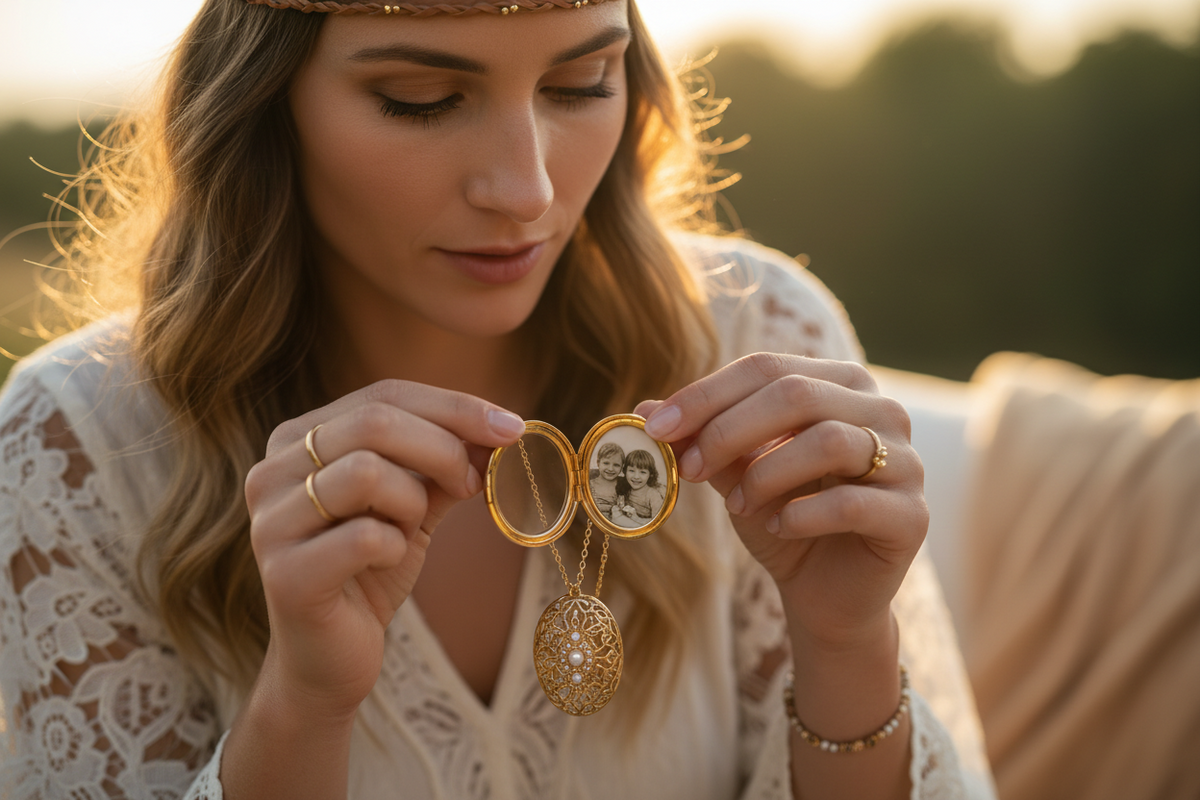
A locket is a small pendant that opens on a hinge, revealing a compartment inside, usually round or oval, sometimes heart-shaped, designed to hold a photograph, a lock of hair, or a small keepsake. The word locket itself comes from the Middle French loquet, meaning a small latch or hook. Photo lockets became widespread in the Victorian era, when people wanted to carry the image of a loved one, alive or passed, close to their heart.
How to Put a Picture in a Locket: Step by Step
- Measure the inside of your locket. Open it and use a ruler or a coin as a size reference. Most standard photo lockets are 15 to 20mm across. Write down the measurement before you print.
- Choose your photo. Faces work best because the compartment is small. A close-up portrait is more readable than a full-body or group shot.
- Resize and crop the image. Use any photo app (Instagram, Photoshop, or a free tool like Canva or Photopea) to crop your photo to a perfect square or oval slightly larger than your locket opening, so you can trim to fit.
- Print at high quality. Print on regular photo paper at 300 DPI or higher. Home printers work fine. Alternatively, take a USB drive with the resized file to any photo lab (Boots, CVS, Walmart, or a local photo shop). Most can print a passport-size photo you can cut down.
- Trim carefully. Use small, sharp scissors or a craft knife with a template. Cut just inside the size of the locket compartment so the photo sits flush without buckling.
- Insert the photo. Most lockets have a thin metal ring or plastic disc inside the compartment that holds the photo in place. Gently lift it out, place the photo face-up, and press the ring back in. Some lockets have space for two photos, one on each side.
- Close and check. Snap the locket shut, then open it again to make sure the photo has not shifted. If it moves around, trim slightly larger next time.
Tips for a Better-Looking Locket Photo
- Crop tight on the face. A tiny compartment does not display detail well. Get in close.
- Use good lighting in the original photo. Blurry or shadowed photos look worse when miniaturised.
- Convert to black and white for a classic feel. Colour photos are beautiful, but black and white is timeless and hides the grain of small prints.
- Laminate or seal the photo if the locket has an open glass front and you want it to survive shower steam and everyday wear.
- Do a test print first on regular paper to check the size before wasting good photo paper.
Where to Print Photos for a Locket
Any of these work:
- Home printer on photo paper is easiest and lets you test sizes.
- Photo labs like Boots, CVS, Walmart, and Walgreens print passport photos that can be cut down.
- Online photo services like Snapfish, Shutterfly, or Freeprints will do small prints and mail them.
- Local print shops often do the best job for very small formats because they can adjust size precisely.
How to Layer a Locket With Other Necklaces
Lockets are heavier and more visually dominant than most chains, so layering takes a light hand.
- Two chains max. The locket on a longer chain (18 to 22 inches), and one dainty short chain (14 to 16 inches) sitting above it. More than that and the locket loses its focus.
- Contrast lengths clearly. Do not layer chains of similar length, they tangle and compete. Aim for at least 4 inches of difference.
- Match the metal tone or commit to the mix. All gold, all silver, or an intentional two-tone stack. Randomly mixed tones read as accidental.
- Let the locket be the anchor. The other chains should be simple, thin, and small-pendant. Nothing that competes.
Our Favourite Locket Necklaces
Retro Lotus Flower Photo Locket Pendant. Vintage relicario style with a glass front, room for one photo.
Carved Lotus Photo Locket Choker. Worn higher on the neck, ethnic style, opens to hold a photo.
Sterling Silver Seashell Photo Frame Pendant. An open frame variation on the same idea.
The Point of a Locket
You are wearing a small door with someone important behind it. That is the whole magic of a locket, and the reason people have carried them for 500 years. The photo does not have to be perfect. It just has to matter.